![eHub-Logo-FullColor-May-15-2024-07-27-43-6708-PM.png]](https://knowledge.ehub.com/hs-fs/hubfs/eHub-Logo-FullColor-May-15-2024-07-27-43-6708-PM.png?height=40&name=eHub-Logo-FullColor-May-15-2024-07-27-43-6708-PM.png)
eHub Credit lets you ship now and pay later. It's only for customers approved by eHub. eHub sets it up for you.
Before you start: You need Owner access. Go to Finance → Payments → Wallet.
How It Works
- Labels are charged to eHub Credit, so your balance goes below $0.
- Your credit limit is the most you can owe. eHub Finance sets it.
- If you reach your limit, labels won't go through until you pay.
Make a Payment
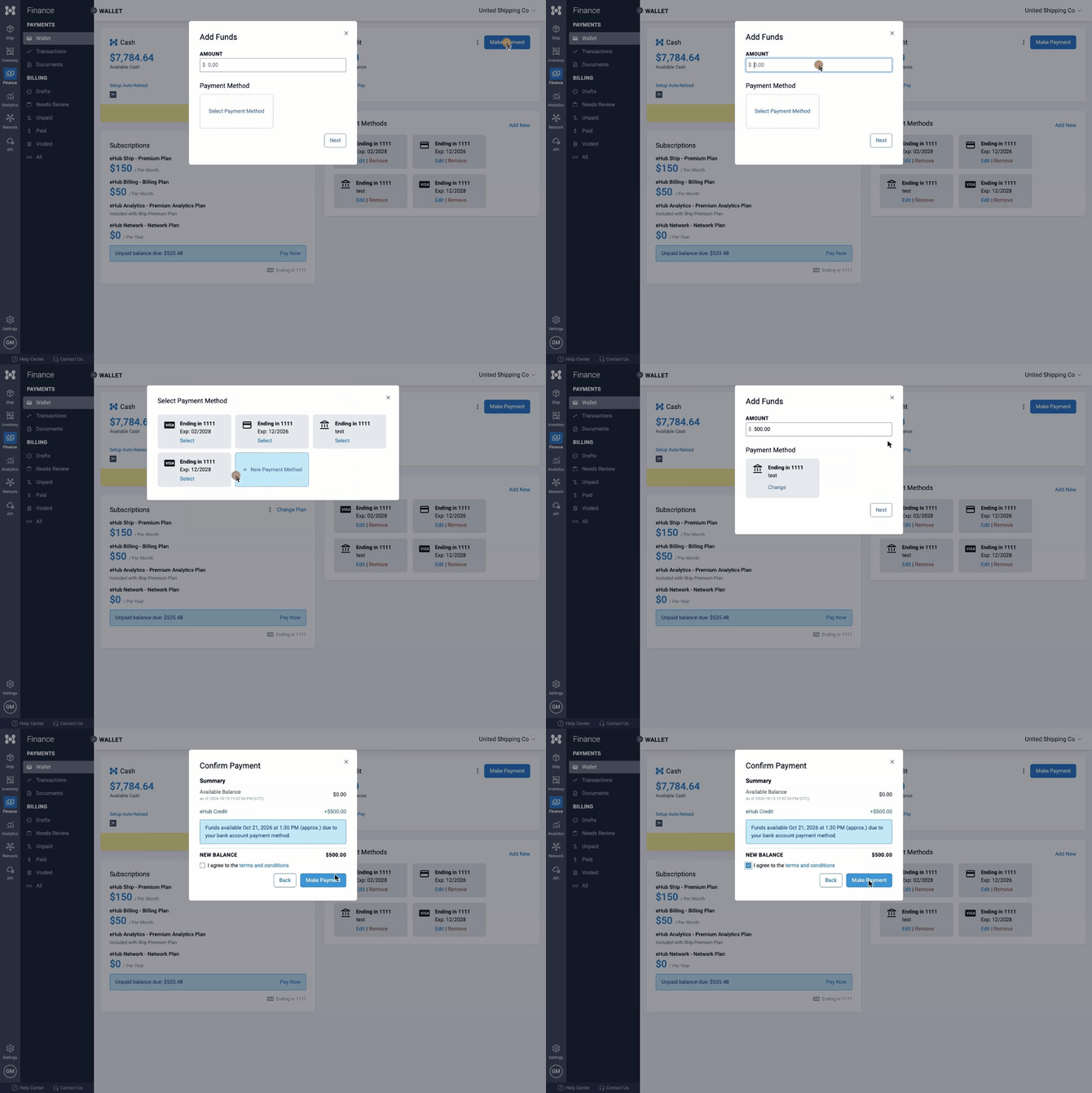
- Click Make Payment.
- Type how much you want to pay. Then pick a credit card or bank account.
- Click Next.
- Check the box to agree to the terms.
- Click Make Payment.
Turn On Auto-Pay
Auto-Pay pays your balance for you, so you don't hit your limit.
- In the eHub Credit section, click ⋮ and then Edit.
- In Auto-Pay Trigger, type the balance that starts a payment. This is usually below $0.
- In Auto-Pay Amount, type how much to pay each time.
- Check the box to agree to the terms.
- Click Save.
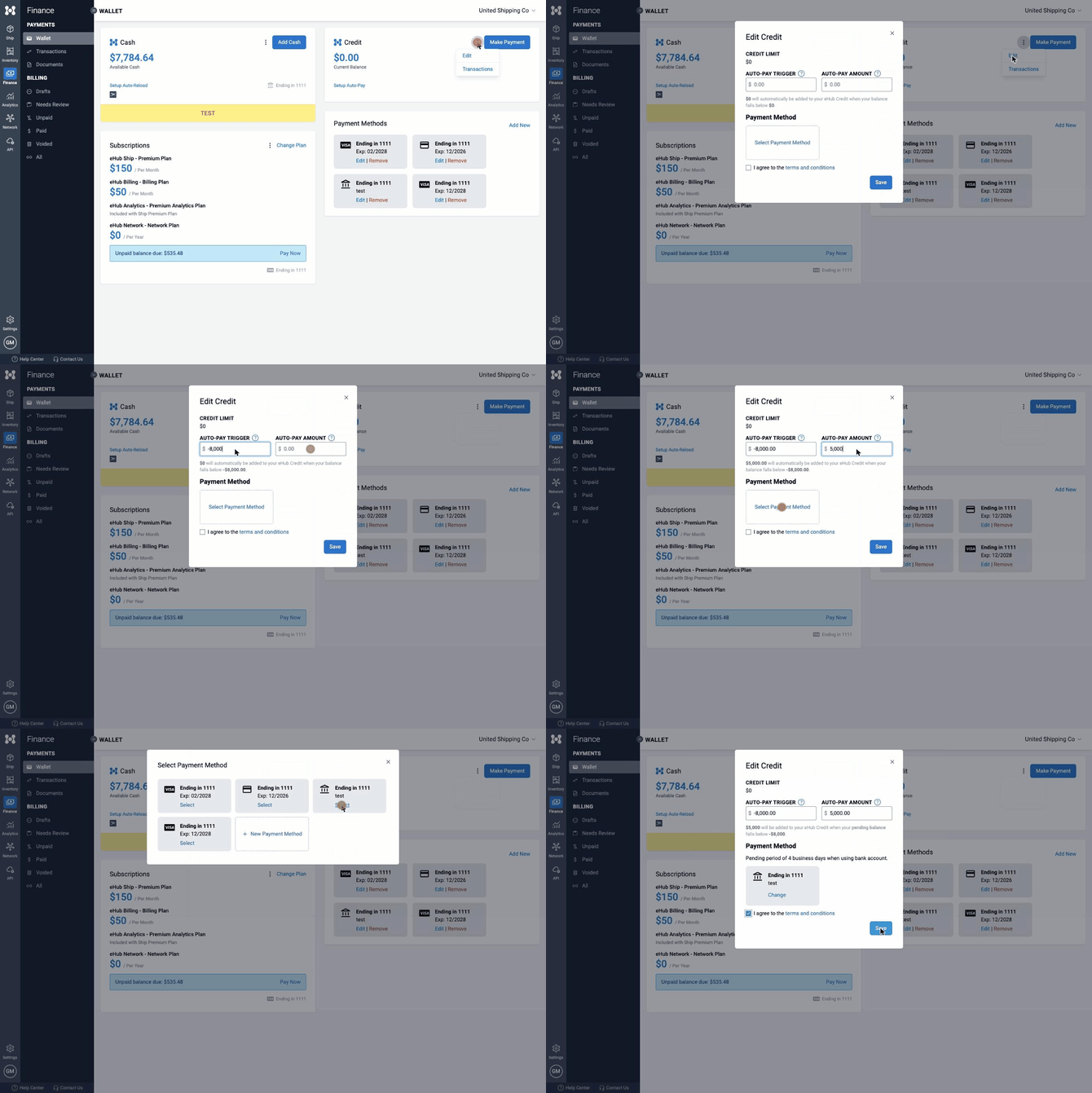
Example: Credit limit −$10,000. Trigger −$8,000. Amount $5,000. When your balance reaches −$8,000, we charge $5,000.
Important: Your trigger must be closer to $0 than your credit limit. If not, Auto-Pay won't run.
Good to Know
- Bank payments take 3–5 business days to clear. Credit card payments are instant. With a bank account, Auto-Pay counts pending payments, so it won't pay twice while one is still clearing.
- eHub Finance sends your shipping invoices. Your payments count toward what you owe.
Change the Credit Card or Bank Account
See Your Transactions
In the eHub Credit section, click ⋮ and then Transactions.
Need Help?
Email support@ehub.com.