![eHub-Logo-FullColor-May-15-2024-07-27-43-6708-PM.png]](https://knowledge.ehub.com/hs-fs/hubfs/eHub-Logo-FullColor-May-15-2024-07-27-43-6708-PM.png?height=40&name=eHub-Logo-FullColor-May-15-2024-07-27-43-6708-PM.png)
Save your credit cards and bank accounts. Then pick which one pays for each thing.
Before you start: You need Owner access. Go to Finance → Payments → Wallet.
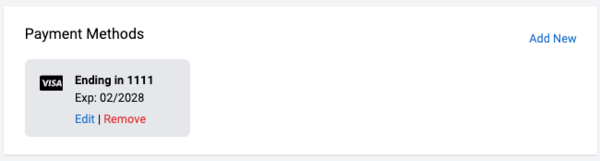
Add a Credit Card
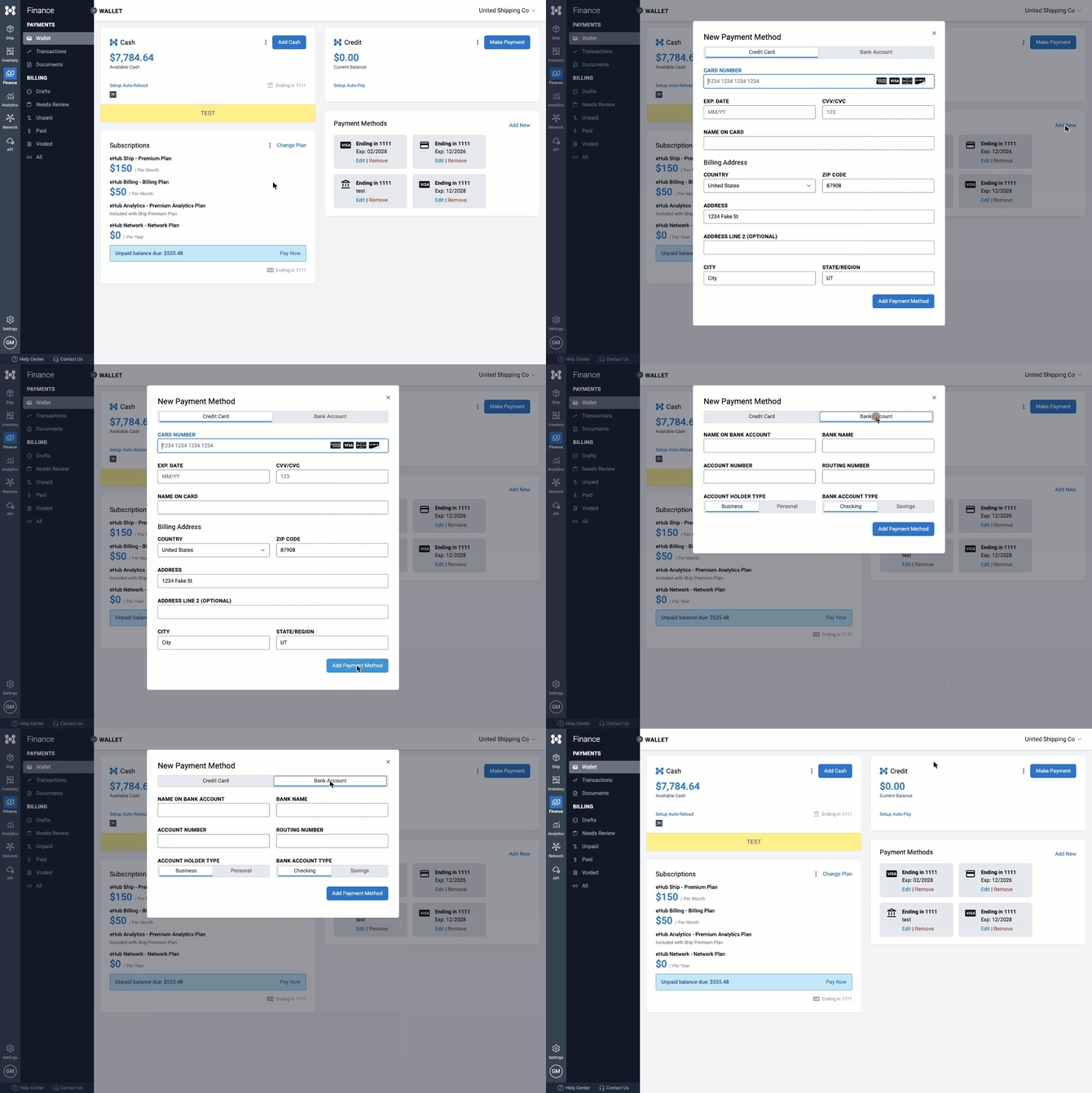
- In the Payment Methods section, click Add New.
- Click Credit Card.
- Type your credit card details.
- Click Add Payment Method.
Add a Bank Account
- Click Add New.
- Click Bank Account.
- Type your bank details.
- Click Add Payment Method.
Good to know
- Bank accounts have no fee. Credit cards have a small fee.
- Money from a bank account takes 3–5 business days to be ready.
- Bank accounts can't pay for subscriptions.
Got a new credit card or a new expiration date?
- Click Edit on the old credit card.
- Type the new credit card details.
- Click Save.
The new credit card takes over everything the old one paid for.
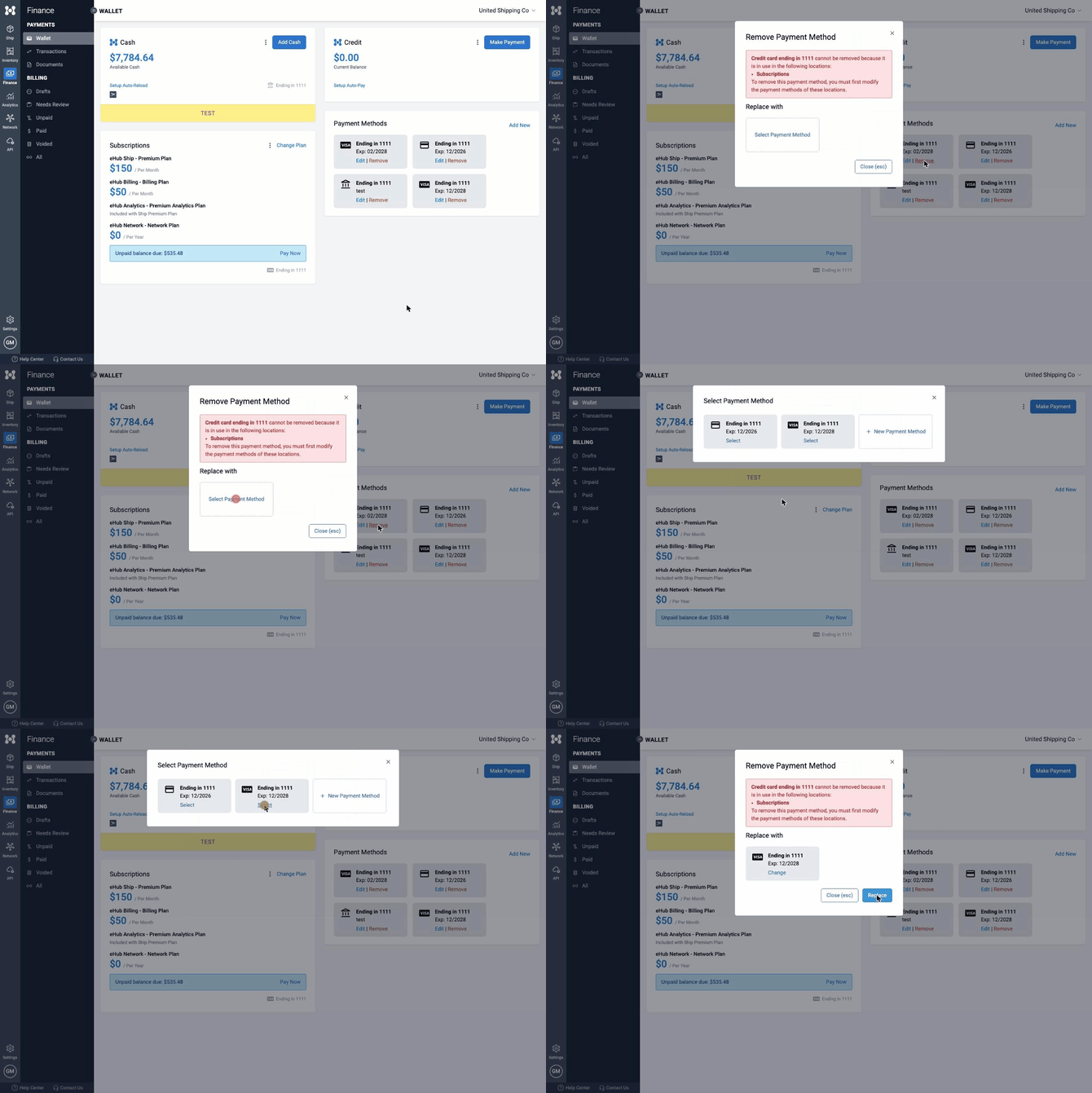
Remove a Credit Card or Bank Account- Click Remove.
- Not being used? Confirm, and you're done.
- Being used? Click Select Payment Method and pick a new one.
- Click Replace.
eHub Cash, eHub Credit and Subscriptions can each use a different credit card or bank account.
|
Pays for |
Credit Card |
Bank account |
|
eHub Cash |
Yes |
Yes |
|
eHub Credit |
Yes |
Yes |
|
Subscriptions |
Yes |
No |
eHub Cash
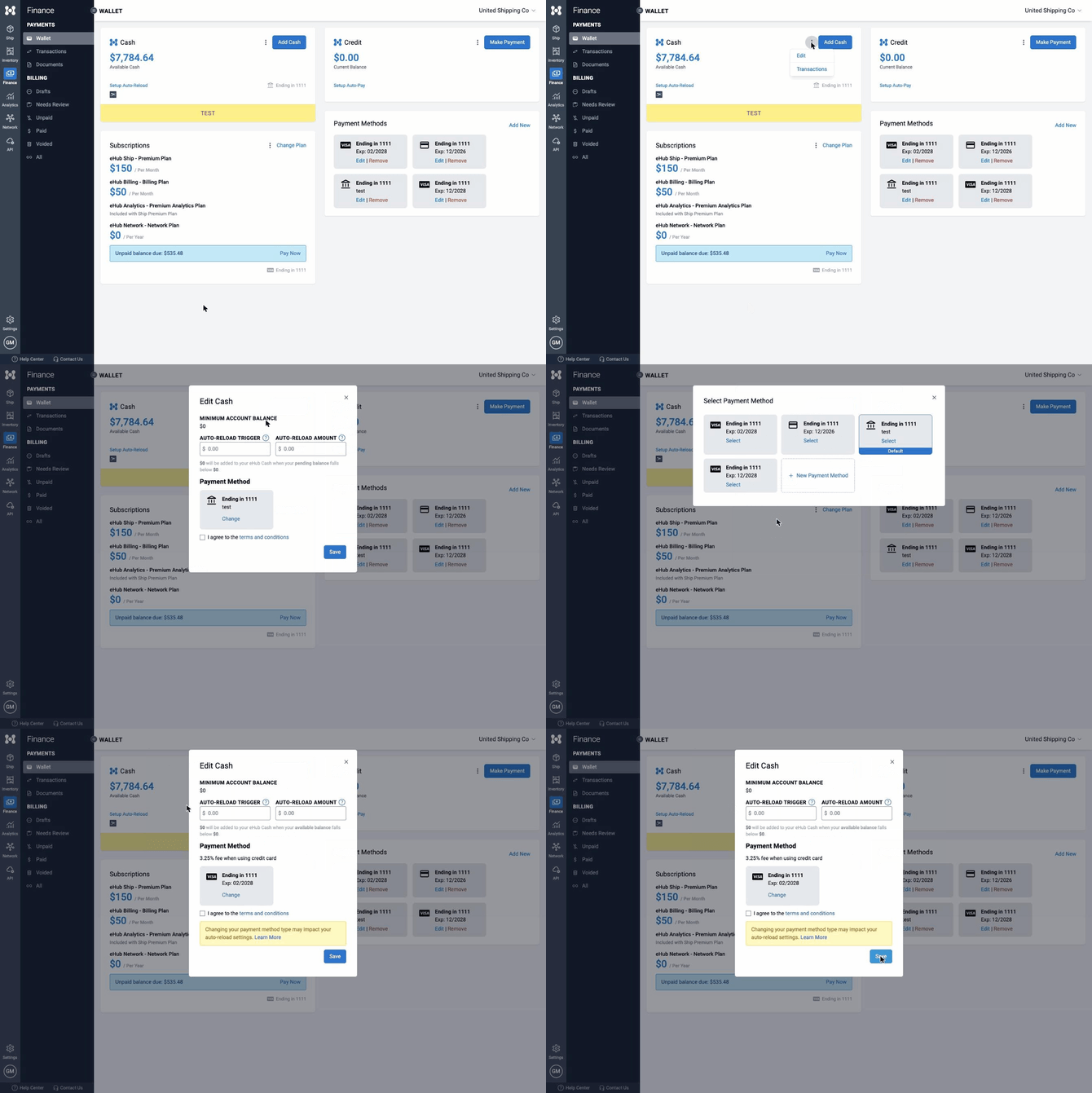
- In the eHub Cash section, click ⋮ and then Edit.
- Under Payment Method, click Change.
- Click Select on the one you want.
- Check the box to agree to the terms.
- Click Save.
eHub Credit
- In the eHub Credit section, click ⋮ and then Edit.
- Under Payment Method, click Change.
- Click Select on the one you want.
- Check the box to agree to the terms.
- Click Save.
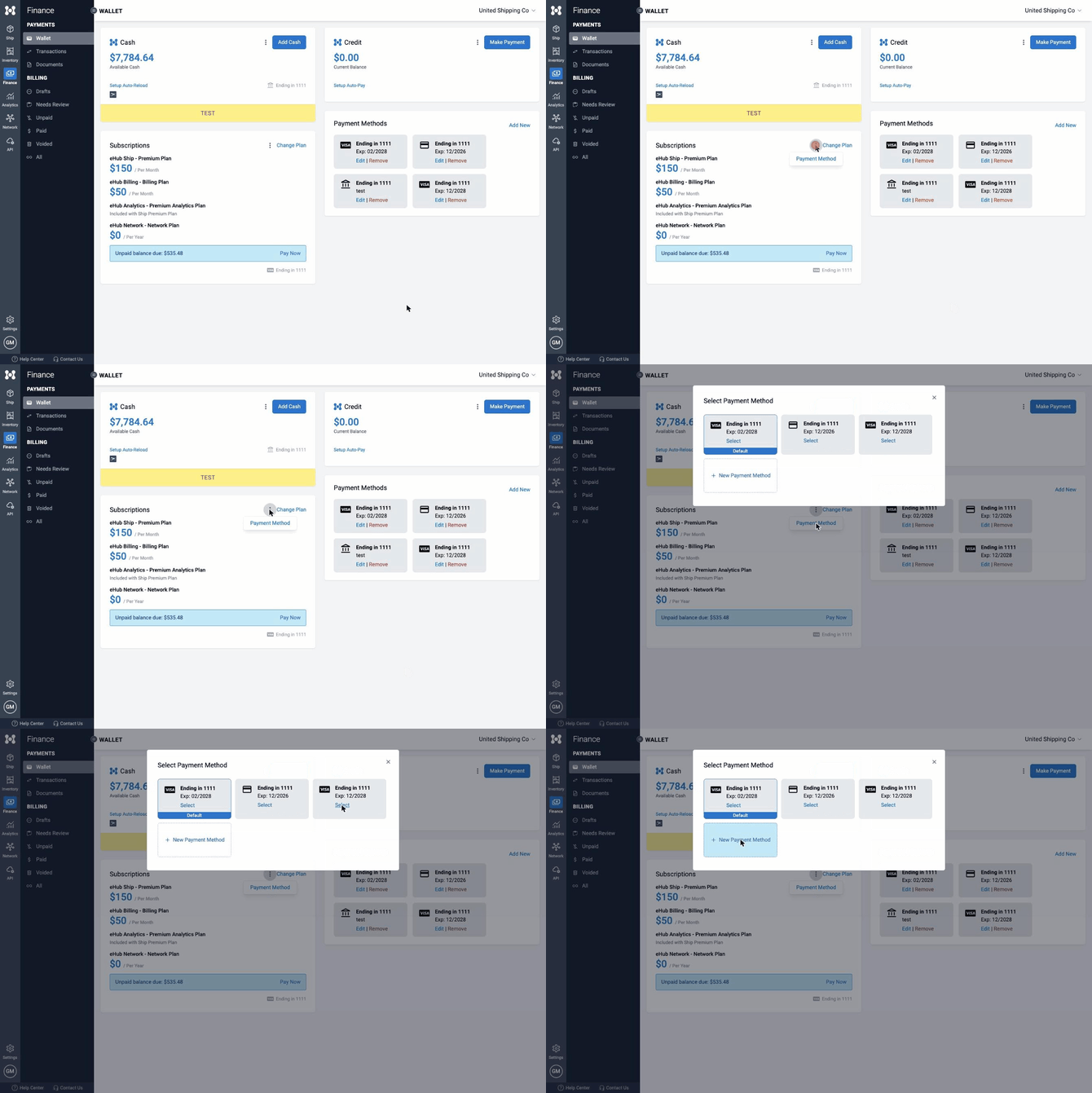
Subscriptions
- In the Subscriptions section, click ⋮ and then Payment Method.
- Click Select on the credit card you want.
One credit card pays for all your plans.
Expired Credit Cards
- We email you when a credit card expires.
- Update it with Edit so your payments don't fail.
- You can't pick an expired credit card to pay for anything.
Quick Answers
I added a new credit card. Why is my old credit card still being charged? Adding a credit card only saves it. Pick it under "Choose What Each One Pays For," or use Edit on the old credit card.
Why can't I pick my bank account for subscriptions? Subscriptions can only be paid by credit card.
Can I use a different credit card for each plan? Not yet. One credit card pays for all your plans.
Need Help?
Email support@ehub.com.