![eHub-Logo-FullColor-May-15-2024-07-27-43-6708-PM.png]](https://knowledge.ehub.com/hs-fs/hubfs/eHub-Logo-FullColor-May-15-2024-07-27-43-6708-PM.png?height=40&name=eHub-Logo-FullColor-May-15-2024-07-27-43-6708-PM.png)
Package Insights is a dashboard in eHub Analytics that shows how your packages are being used across your shipments. Use it to see which packages you rely on most, how your volume splits across package types and dimensions, and where your packaging costs are concentrated.
Why Package Insights?
Packaging choices affect what you pay to ship. Oversized or inconsistent boxes can lead to dimensional weight charges and carrier adjustments. Package Insights gives you a single view of your packaging so you can spot opportunities to standardize and reduce costs.
How to Open Package Insights
1. Log in to eHub.
2. Select Analytics from the left navigation.
3. Under Packaging, select Insights.
The dashboard loads with data for the account you're currently working in.
What You'll See
The dashboard has two sections. The top section shows how you use packaging. The Package Efficiency section shows what your packaging costs and how carrier adjustments affect it.
Package Usage
• Total Shipments – The number of shipments included in the dashboard.
• Unique Package Dimensions – How many different package sizes (length x width x height) you shipped with.
• Most Used Package – The package size you shipped with most often.

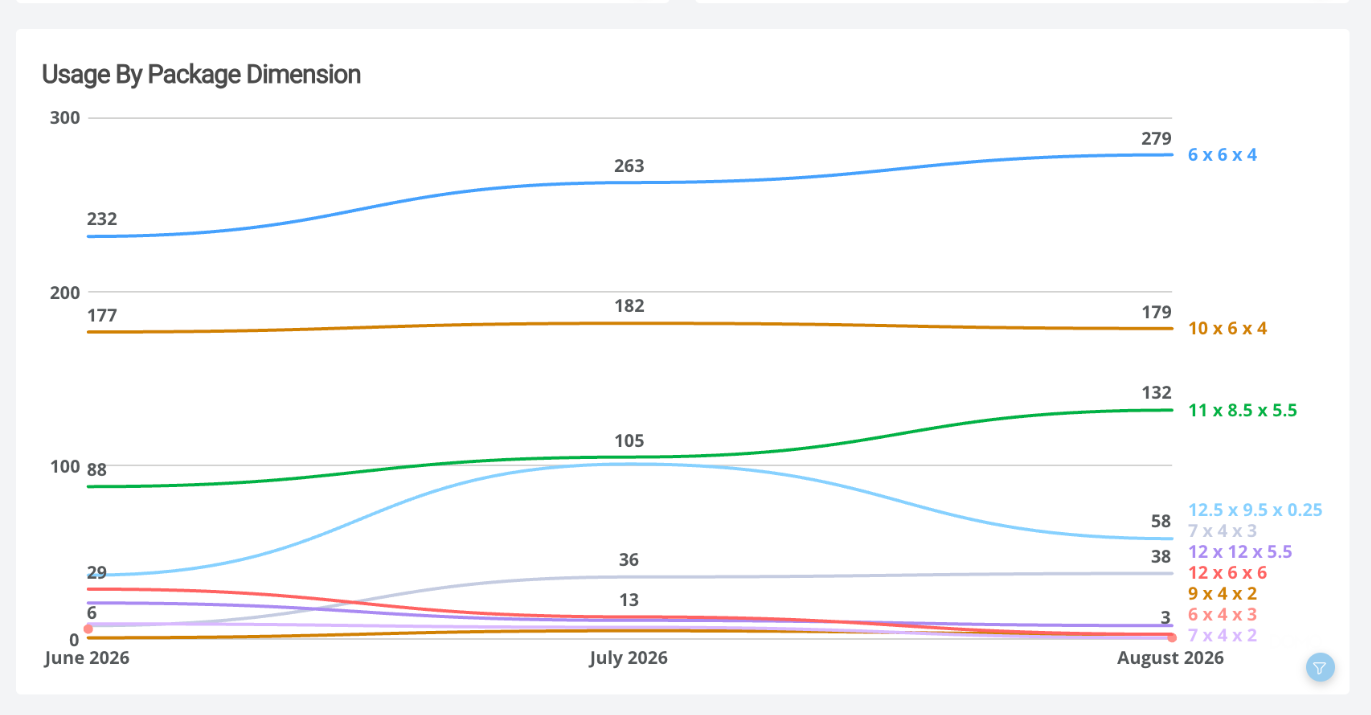
• Usage by Package Dimension – Monthly shipment volume for your most-used package sizes, so you can see which sizes are growing or declining. If you use many sizes, only the top sizes are shown.
Package Efficiency
• Avg. Cost Before Adjustments – Your average shipping cost when the label was purchased.
• Avg. Cost After Adjustments – Your average shipping cost after carrier adjustments, with the percentage change from the before-adjustments cost.
• Highest Cost Package – The package size with the highest shipping cost.

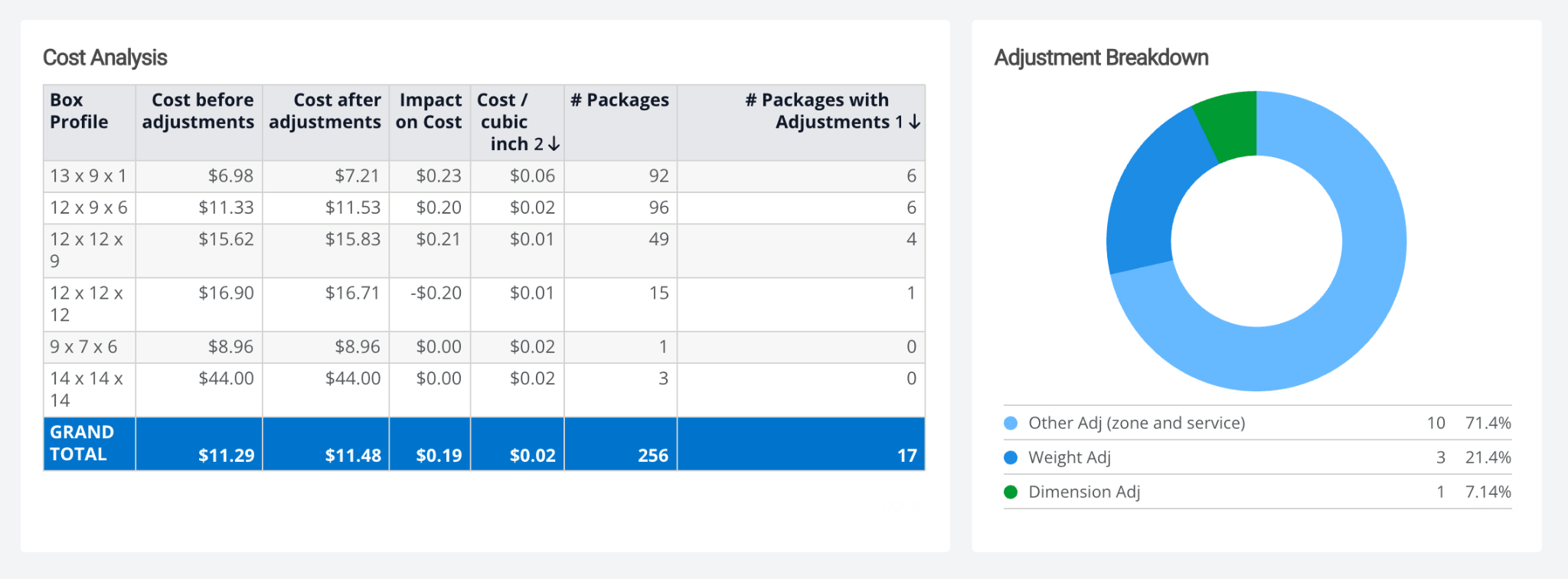
• Cost Analysis – A table comparing each package size (box profile): cost before and after adjustments, the impact of adjustments on cost, cost per cubic inch, number of packages, and number of packages with adjustments.
• Adjustment Breakdown – How your carrier adjustments split between weight adjustments, dimension adjustments, and other adjustments (zone and service).
Things to Know
• No recent shipments: If your account has no shipments in the period the dashboard covers, the dashboard will appear empty.
• User access: Merchant users don't have access to Analytics dashboards.
• Adjustment timing: Carriers can report adjustments weeks after a shipment, so costs after adjustments for recent months may increase over time.
Data Refresh Schedule: Every 48 hours
The Bottom Line
Package Insights shows you how your packaging is really being used, so you can make smarter decisions about the boxes you stock and ship. Questions? Contact eHub Support.